Free · Ages 8 to 17 · No sign-up
The free driver's ed for computers.
Start from zero. Understand computers.
Play now, freeWorks in the browser, even on low-cost school laptops. Nothing to download.
How it works
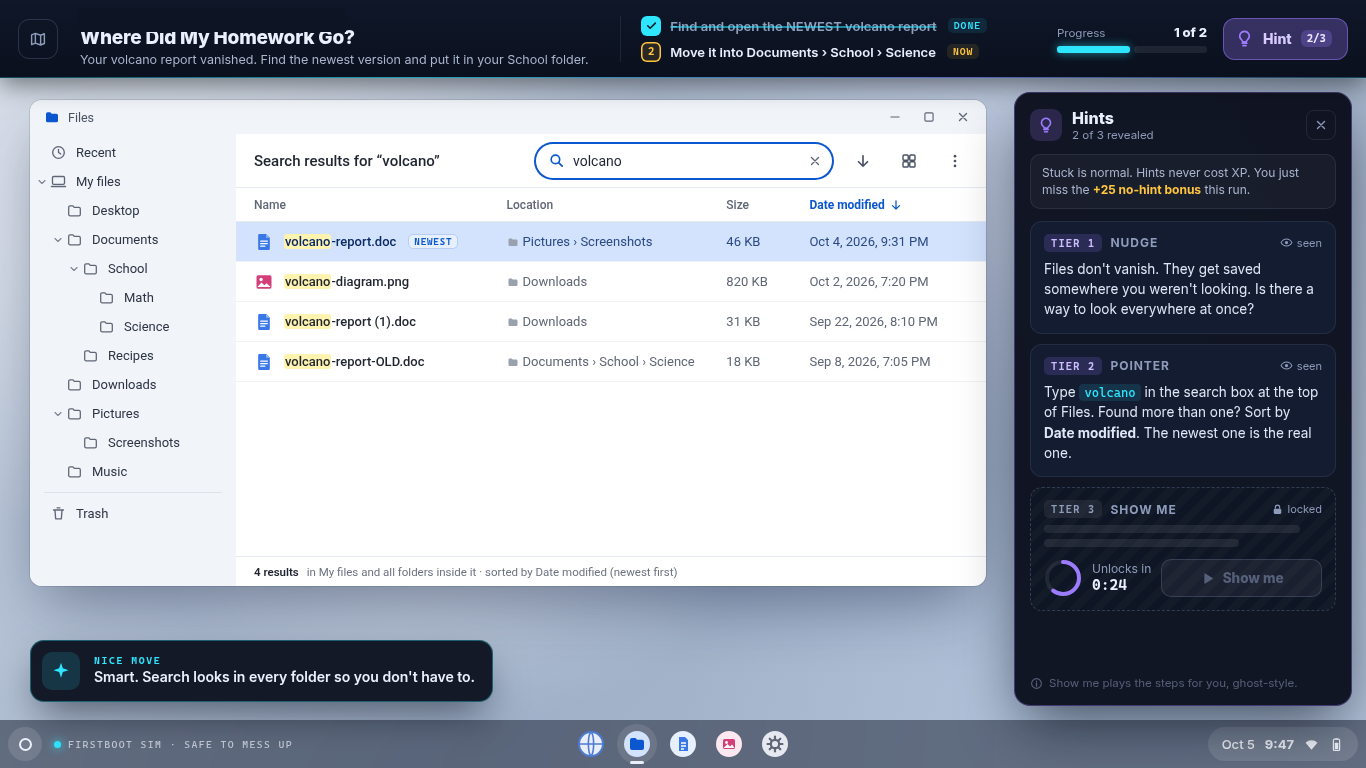
A pretend computer
A safe desktop in the browser, with files, folders, and apps. Mistakes can't break anything real.
Short missions
Each one takes 3 to 8 minutes and teaches one real skill, like finding the newest version of a file.
XP and badges
Finish missions to earn XP and badges and move up in rank. Hints are there when someone gets stuck.
For parents and teachers
Simple on purpose
Kids press Play and start. There's nothing to set up and nothing to sign.
- No accounts or sign-ups. No usernames or passwords.
- No personal info. FirstBoot doesn't ask for a name, email, school, or anything else about you.
- No ads, trackers, or cookies. Nothing to buy, either.
- Progress stays on this device. It's saved only in this browser. A different browser or computer starts fresh.
Ready now
Level 1: Meet the Computer (10 missions)
- Bubble Pop
- Meet Your Laptop
- Open Sesame
- Scroll Patrol
- Dinner for Pixel
- The Secret Menu
- Grandma's Grocery List
- Caps Lock Chaos
- Too Dark, Too Loud
- Movie Night Meltdown
Level 4: Files & Data (3 so far)
- Where Did My Build Plan Go?
- Photo Dump Cleanup
- Make a Copy First
13 missions so far. More are on the way.
Who it's for, and who makes it
Built mainly for ages 9 to 14, and fine from 8 to 17. One developer, Jon Ortiz, builds and runs FirstBoot.